Practise IELTS skills and review your progress
IELTS uses the same exam home as other exams: IELTS Academic or IELTS General Training, depending on your choice. Open IELTS from Exam Prep. Its exam home has the usual tabs plus two extra ones:
- Library: your private IELTS study library.
- IELTS setup: your target band and test type. Switching between Academic and General Training moves you to that exam’s home.
On the Practice tab, each skill card opens the full IELTS test screen for that skill. Question-bank sets are one click away. Mocks shows the full computer-delivered-style IELTS mock above the bank mock. Progress shows your band for each skill, criteria, and suggested next drills, above the general trend.
Work on one skill
Section titled “Work on one skill”| Skill | Complete this workflow |
|---|---|
| Listening | Open the available task, read its instructions, play the audio using the permitted controls, answer the questions, submit, and review errors. |
| Reading | Read the passage and question type, enter or choose answers, submit the task, and compare each mistake with the relevant passage. |
| Writing | Select the task, read the prompt, write your own response, submit for the offered feedback, and inspect individual criteria before revising. |
| Speaking | Read the speaking prompt, use the supported microphone or response controls, finish the task, and review feedback alongside what you actually said. |
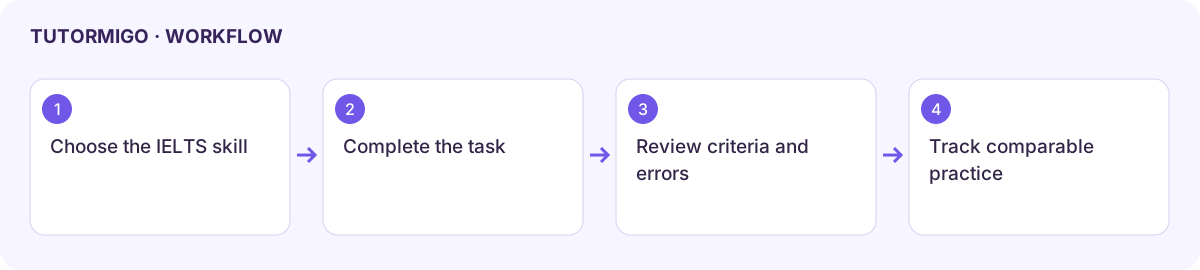
Start with one specific target, such as locating evidence for Reading answers or developing a Writing example. Keep notes on the feedback and practise the same skill again with a new task.
Mock, Library, and Progress
Section titled “Mock, Library, and Progress”Use the IELTS mock on the Mocks tab for a full timed run. Each section’s timer runs on our server, and Listening audio plays only once, as in the real test. Use Library for your saved materials and Progress to follow each skill over time. The AI Coach and Mistakes tab work for IELTS too.
AI feedback and band estimates are practice aids, not official examiner decisions. Listen to or reread your actual response when deciding whether the feedback is accurate. For Speaking, allow microphone access only for the intended practice session and check the recording or connection state before beginning.
If material is missing, check the selected task and enabled access. If feedback fails, retain your response and the error before retrying. Do not replace an unsaved essay merely to reload the workspace.
Next: mock tests and targeted practice.
Workflow at a glance
Section titled “Workflow at a glance”