
Study tools1 min read
Review your retention with Memory Games
Memory Games presents a retention dashboard based on flashcard review history. Open Study Tools → Memory Games after a flashcard review.
Read the dashboard
Section titled “Read the dashboard”- Review a flashcard deck first. Without review history, the dashboard may have little to show.
- Choose Recompute to refresh the retention information.
- Check Tracked topics, At-risk topics, and Review now.
- Read Topic Retention for each topic’s score, stability, predicted forget date, and queue.
- Use the Review Queue to plan your next recall session. The local example has no cards due immediately after its review.
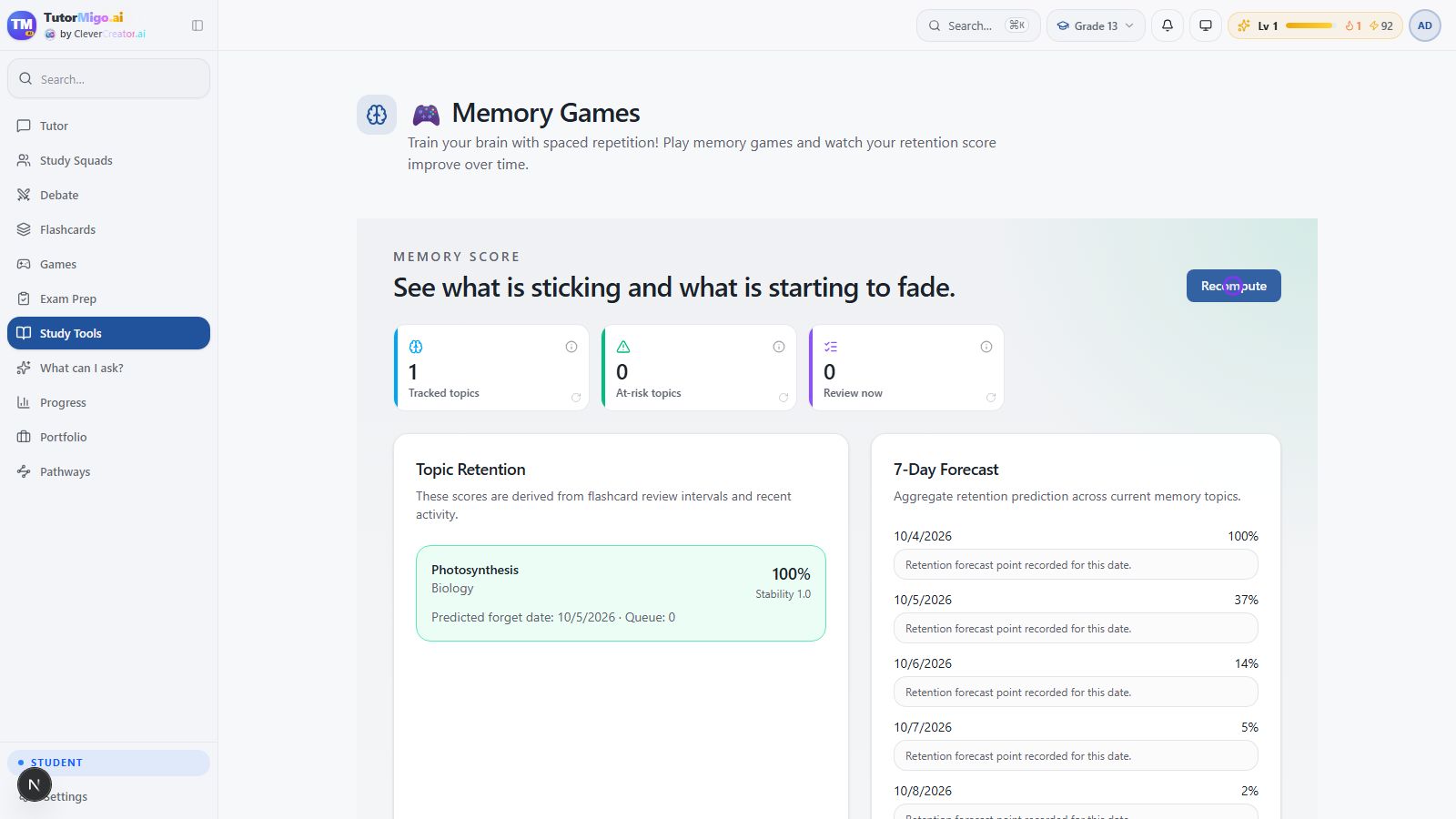
The 7-Day Forecast is a prediction from the app’s current review data. Scores and predictions help choose what to revisit; they do not prove mastery or replace a school assessment. Use Flashcards to practice, and use this dashboard to interpret the review history.
Watch the full deck-to-dashboard walkthrough in Flashcards.
Next: Learning progress.