Join a child session in Co-Learning Mode
Co-Learning Mode lets a linked parent observe or participate in an active tutoring session. The parent uses their own child-scoped workspace rather than signing in as the child.
Join and follow the lesson
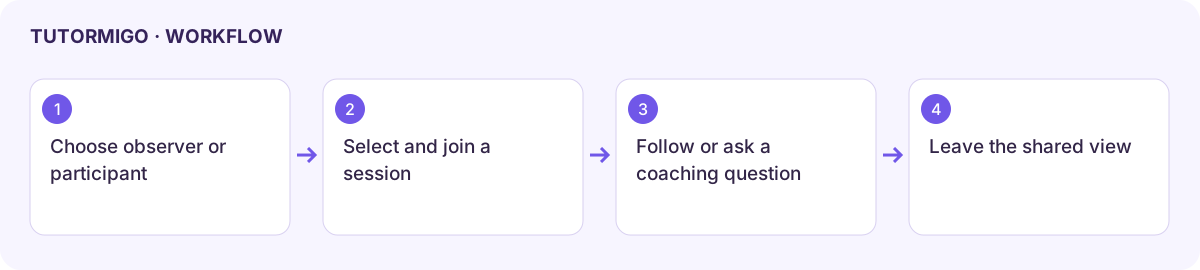
Section titled “Join and follow the lesson”- Open the child’s Co-Learning Mode view.
- Select Observer for a read-only experience or Participant to contribute to the shared lesson.
- Choose the intended session under Active Session and select Join Session.
- Check the Joined state and Live Transcript. Confirm this is the lesson you intended to join.
- In Participant mode, write a short coaching question and use Send Parent Message. Observe how it appears in the shared session.
Use a question that supports the child’s explanation, such as “Can you show us why you chose that step?” Avoid taking over the problem. Conversation starters and the parent guide sidebar can help frame useful support.
Leave and troubleshoot
Section titled “Leave and troubleshoot”Choose Leave when finished and check the joined state changes. Leaving the parent view is different from ending the child’s tutor lesson.
If no session is available, ask the learner to start or open the intended session and refresh the child view. If the transcript is empty, check whether the session has messages and the join succeeded. Observer mode intentionally does not show the participant message action.
Next: child activity and home learning.
Workflow at a glance
Section titled “Workflow at a glance”