
Help and reference2 min read
Get past a problem
Start with the exact message on screen. It usually tells you whether the problem concerns access, allowance, or a temporary service failure.
Quick checks
Section titled “Quick checks”| Problem | What to try |
|---|---|
| Wrong workspace or missing tools | Check the signed-in account, role, and learner grade |
| Sign-in loops | Retry the normal sign-in flow; confirm the intended account |
| File not attached | Check format, upload status, and attachment pills before sending |
| Voice cannot hear you | Check browser microphone permission and selected input device |
| Voice echoes | Use headphones and lower speaker volume |
| Audio lesson has no sound | Check player volume, device audio, and playback state |
| Generation stops with a limit | Read the allowance message and ask the account owner if needed |
| AI temporarily unavailable | Wait briefly and retry the failed action |
| Child missing from parent list | Check the family-link or pending claim status |
| Class creation disabled | Check the displayed class allowance |
Avoid losing work
Section titled “Avoid losing work”Copy unsent text before refreshing. Check save indicators on drawings or maps. Reopen the same session when looking for earlier work.
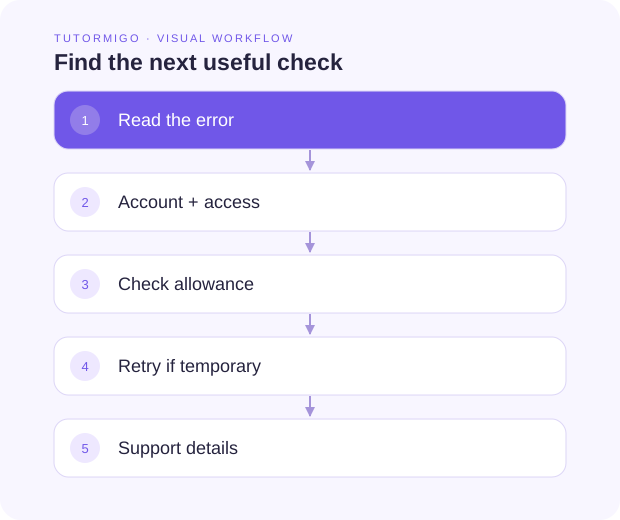
Describe a reproducible problem
Section titled “Describe a reproducible problem”Use the support or contact route shown in TutorMigo. Include the page name, what you tried, the error text, and approximate time. Share a screenshot only after removing unrelated personal details. Do not include passwords, invitation PINs, or private account tokens.
Next: FAQ and glossary.